Agile Work Management

2 mins read

Support Image

This section provides the functional aspects of Agile Work Management as part of this release.

Enhanced Risk Planning and Ownership
Support Image

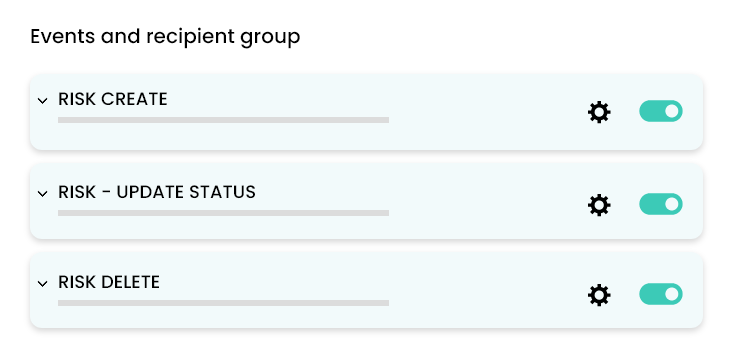
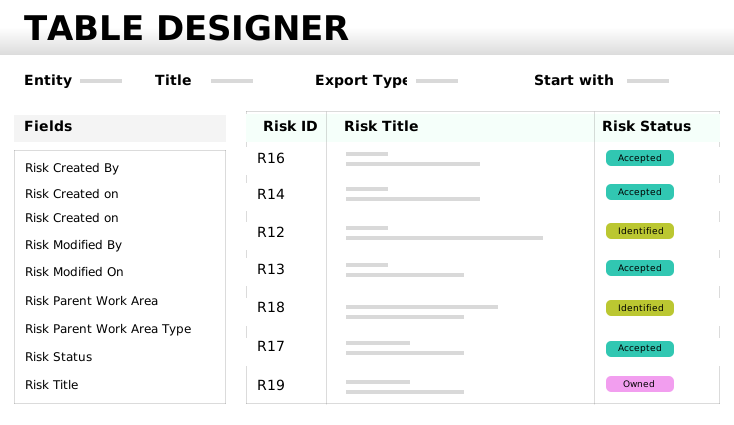
This feature strengthens risk management in JileTM by configuring alerts, tagging risks flexibly, and generating custom reports for improved planning and ownership.
Here's What is New

  • Documenting risks and responses in a repository.
  • Configurable email notifications: Set up alerts for risk creation, updates, or deletions to stay informed in real time.
  • DIY risk reports: Create custom reports for risks for enabling deeper analysis and tracking.
  • Expanded tagging: Tag risks not only to releases and programs, but also to planning intervals and capabilities for greater flexibility.
  • Broader linkages: Link risks to Capabilities in addition to Initiatives and Epics, ensuring comprehensive coverage.

What Makes This Update Useful

These improvements make risk management complete and actionable, helping teams proactively identify, track, and address risks throughout the project lifecycle.

More Power to the Centralized Review Teams
Support Image

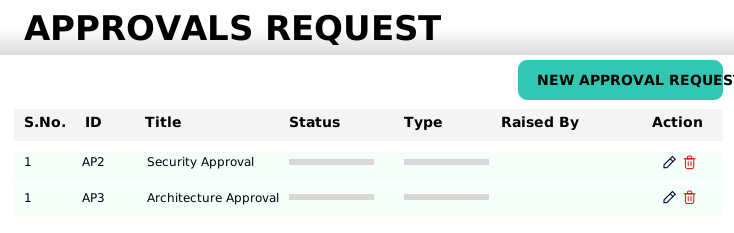
This feature empowers your review teams with a suite of enhancements that streamline approval management. This helps with staying in control of approval requests with improved tracking, flexible terminology, and expanded integration options.
Here's What is New

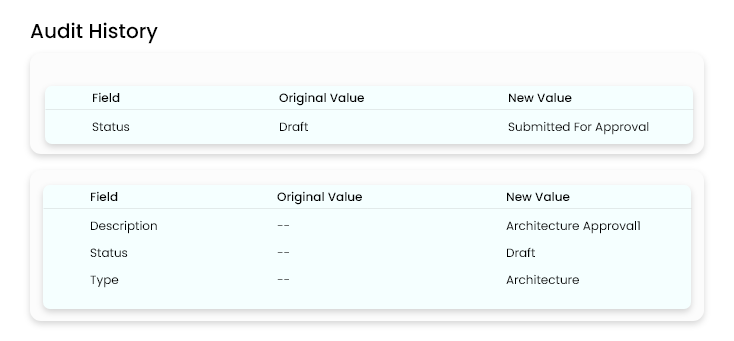
  • Availability of audit history for approvals.
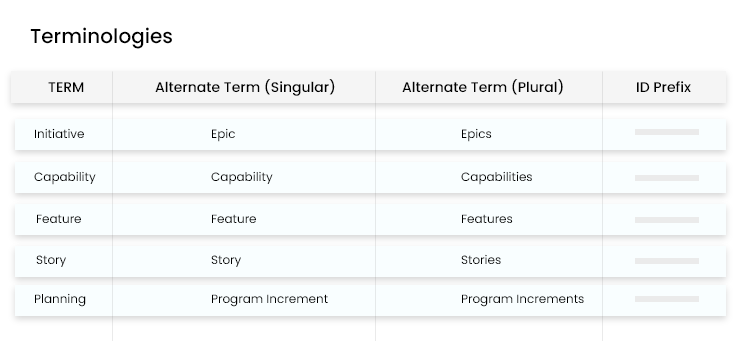
  • Usage of your preferred terminology. For example, replace 'Approvals' with terms like 'Sign-off' to match your workflow.
  • Ability for workspace admins to configure email notifications for approvals.
  • Creation of approvals through API for seamless integration

What makes this update useful

  • Greater transparency: Audit trails provide a clear record of all approval actions.
  • Custom fit: Flexible terminology allows teams to align the platform with their processes.
  • Proactive oversight: Email notifications ensure that no approval request is missed.
  • Integration ready: API support enables automation and connection with other tools, boosting efficiency.

Flexible, framework-agnostic workspace creation
Support Image

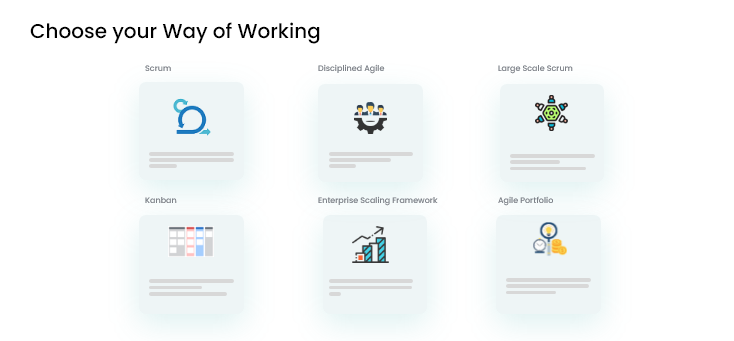
This enables teams to set up workspaces in JileTM without being tied to any specific agile methodology. This option is ideal for projects or programs that prefer universal terminology or follow non-agile approaches, such as waterfall.

Here's What is New

  • Ability to create new workspaces with universal framework-neutral terminology.
  • No requirement to conform to any agile framework, that is suitable for waterfall and other methodologies.
  • Workspace configuration remains fully customizable to fit evolving project needs.

What makes this update useful

  • Maximum flexibility: Helps teams to tailor their workspaces to match their unique processes, whether agile, waterfall or hybrid.
  • Inclusive for all approaches: Supports a wide range of project management styles, making Jile TM accessible to more teams.
  • Adaptable configuration: Aids in easy update of workspace settings as project requirements change, ensuring long-term usability.

Additional improvements across Jile TM

This includes usability and productivity enhancements designed to make your experience smoother and more intuitive across Jile TM.

Here's What is New

  • Adjustable timeline columns: Easily resize columns in the timeline view for better visibility and organization.
  • Clear status indicators: Instantly distinguish in-progress, done, and delayed items with enhanced visual cues on the timeline.
  • Workspace configuration remains fully customizable to fit evolving project needs.
  • Broader timeline default: View timeline in months, providing a wider perspective on your project's schedule.
  • Focused release grid: Automatically filter the planned and in-progress releases, keeping your view uncluttered by completed items.
  • Updated information icons: View refreshed icons that clearly indicate the ‘Ready’ status for entities such as Epic, Capability and Feature, reducing ambiguity.

What makes this update useful

These enhancements streamline navigation, improve clarity, and help you focus on what is most important, making project tracking and management even more efficient.

Test Management Got Better with These Important Features

2 mins read

Support Image

Streamlined unit test automation with annotation utility

This update implements annotation-based workflows and set up automated triggers from your CI/CD pipelines. This eliminate manual steps, ensuring consistent test execution, and makes results easy to review.

Support Image

Here's What is New

  • Enhanced traceability: Dynamic annotations link requirements, test cases, and test data, making it easier to track coverage and execution.
  • CI/CD integration: Automated testing is tightly integrated with tools like Jenkins, so tests run automatically at every stage.
  • Simplified reporting: The interface lets users quickly review test results and log defects directly into the defect management tool.

What Makes This Update Useful

  • Efficiency gains: Automation with JUnit and custom scripts reduces manual work and speeds up validation.
  • Quality boost: Better traceability and reporting results in higher quality and confidence in releases.
  • Seamless workflows: CI/CD integration ensures testing is always part of the development cycle.
  • Improved experience: Real-time test summaries and easy defect logging make the process smoother for users.

Here's What You Should Stay Tuned For

Future updates will expand test coverage, add support for more CI/CD tools, and introduce advanced reporting.

Revamped help content for test and defect management modules

Support Image

The newly updated help documentation for test management and defect management in JileTM provides clearer instructions, up-to-date visuals, and step-by-step guidance to make navigation and task completion easier thereby helps with boosting productivity.

Here's What is New

  • Aligned content: Help texts use current terminology and branding for consistency.
  • Updated visuals: Fresh UI screenshots that accurately reflect the latest interface.
  • Step-by-step guidance: Improved formatting and walkthroughs guide users through key workflows.

What Makes This Update Useful

  • Easier navigation: Find answers quickly and move through modules with confidence, eliminating the need to rely on external support.
  • Visual clarity: Updated screenshots eliminate confusion from outdated images.
  • Clear instructions: Step-by-step directions help users to complete their tasks efficiently.
  • Reduced support load: With better documentation, support teams spend less time on how-to queries.

AI-Powered Journey of User Stories - Generation, Qualification, and Testing

2 mins read

Support Image

The following features in Gen AI provide details of what is new and the benefits.

AI-powered backlog deduplication and merge action

Support Image

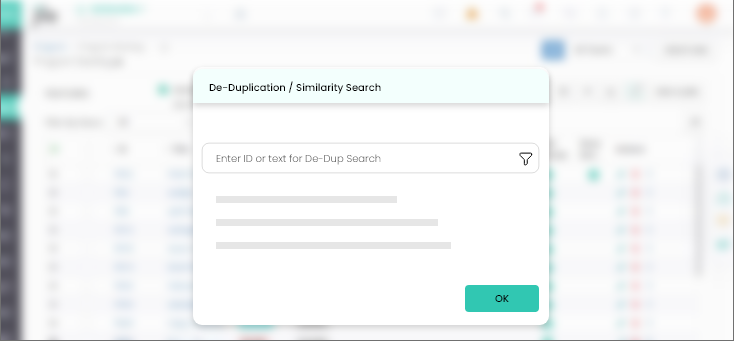
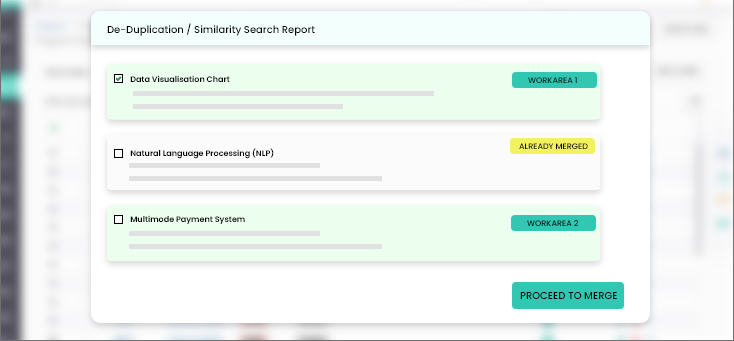
AI-powered backlog optimization helps to identify duplicates, track progress, and get smart recommendations for efficient management.

Here's What is New

  • AI-assisted detection of duplicate or similar backlog feature items.
  • Ability to initiate similarity searches and track progress in real time.
  • Preview screen to review matched items before acting.
  • Merge actions to consolidate duplicate items seamlessly.
  • Automatic generation of summary reports and AI-assisted recommendations for next steps.

What Makes this Update Useful

  • Automates the identification of duplicate or similar backlog items, reducing manual effort and speeding up backlog grooming.
  • AI-generated recommendations help teams prioritize work intelligently and maintain a clean, actionable backlog.
  • Provides clear progress tracking and a preview of matched items, ensuring teams stay informed and aligned.
  • Summary reports and recommendations empower teams to make data-driven decisions quickly.

AI Assist - Release tracking

Support Image

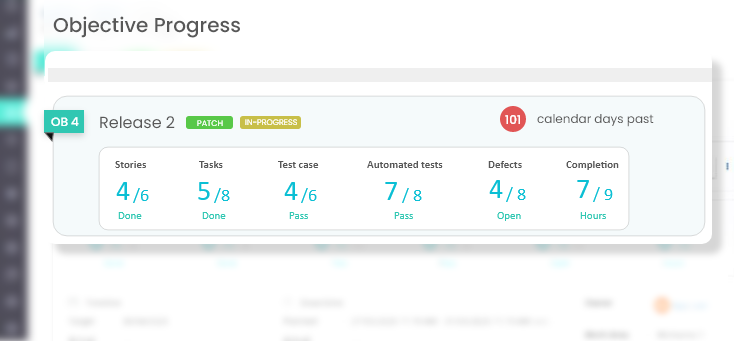
This allows with tracking releases in a smarter way by providing a high-level summary with drill-down insights across all key phases.

Here's What is New

  • A summarized release (ODR) view showing percent completion for features and stories.
  • Quick access to comments grouped under Scope, Planning, Development, Testing, and Defects.
  • Expandable sections for detailed insights into each phase of the release.

What Makes This Update Useful

  • Improved visibility: Release tracking offers a quick snapshot and detailed drill-down, helping teams stay aligned and proactive.
  • Better governance: AI usage dashboard ensures transparency in GenAI activity and resource consumption.
  • Data-driven decisions: Insights from above two features enable smarter planning and cost optimization.
  • Efficiency and control: Simplifies monitoring and reporting, reducing manual effort and risk of oversights.

Gen AI usage and metering reports

Support Image

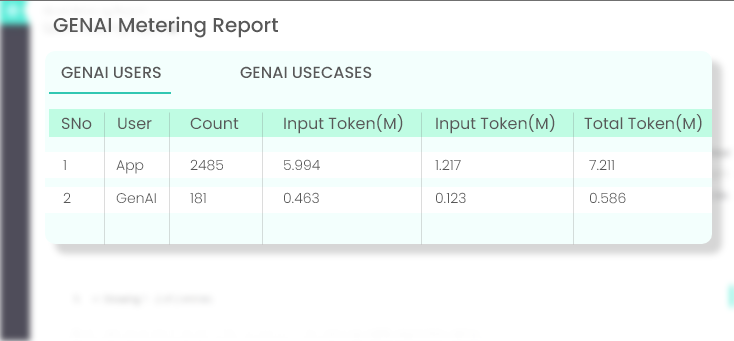
This helps to monitor GenAI usage, token consumption, and trends with a dedicated dashboard thereby facilitating better control.

Here's What is New

  • A dedicated AI usage dashboard for admins to monitor GenAI activity in Jile
  • Visibility into token consumption by users and across major Jile entities.
  • Overall usage trends for better governance and cost optimization.

What Makes This Update Useful

  • Centralized oversight: Provides a single dashboard for monitoring GenAI usage across the organization.
  • User-level transparency: Tracks individual consumption patterns for better accountability.
  • Entity-level insights: Offers detailed visibility into usage across key organizational entities.
  • Cost optimization: Enables proactive management of token consumption to control expenses
  • Enhanced governance: Delivers clear oversight of AI resource utilization for compliance and control.

A Power-packed Insights Framework with Numerous Outstanding Features for Better Visualization

2 mins read

Support Image

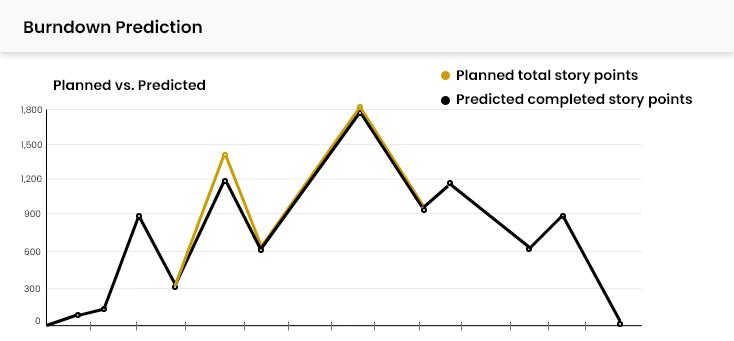
Smart burndown forecasting with machine learning

Support Image

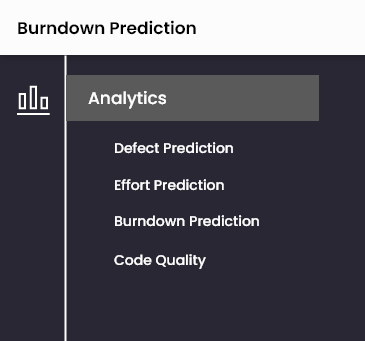
Leverages machine learning to forecast story point completion for each iteration, providing early visibility into potential burndown deviations and enabling proactive, data-driven release decisions.

Here's What is New

  • Machine learning model trained on historical project data for accurate burndown prediction
  • Model accuracy tracked using Mean Squared Error (MSE)
  • Iteration-wise prediction of story point completion for planned releases
  • Visualization charts highlighting potential deviations from the burndown plan
  • Early insights into likely burndown progress for proactive adjustments

What Makes This Update Useful

  • Early visibility: Detect potential deviations before they impact delivery.
  • Proactive planning: Adjust scope and priorities for predictable releases.
  • Data-driven decisions: Leverage ML insights for better release management.

Code quality trends and anomaly detection

Support Image

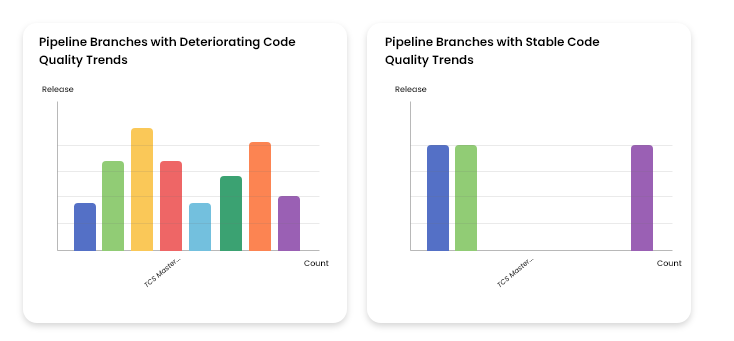
This feature allows to track and analyze code quality trends across DevSecOps pipelines using SonarQube data, with correlation, volatility, and anomaly detection to ensure stable, maintainable code and strengthen release readiness.

Here's What is New

  • Trend quantification of code quality metrics across pipelines and releases
  • Correlation analysis between test coverage and quality metrics (violations, bugs, code smells, technical debt)
  • Volatility detection to measure stability of code quality across scans
  • Anomaly detection on latest scans for each quality metric
  • Interactive dashboards for release-wise and pipeline-wise monitoring

What Makes This Update Useful

  • Early quality signals: Spot degradation before it impacts production
  • Prioritized improvements: Focus on areas with highest risk and volatility
  • Release readiness: Ensure stable, maintainable code for every release